| Home Prev |  NetWall 200R Series Getting Started Guide NetWall 200R Series Getting Started Guide
|
Next |
|---|
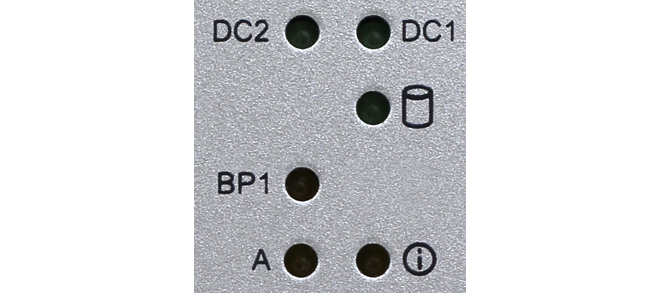
The NetWall 200R Series features a set of status lights in the top right corner on the front panel of the unit..
These LEDs indicate the overall system status.
DC2 - DC power input indicator for PSU #2
DC1 - DC power input indicator for PSU #1
Storage Symbol - Lit during disk read/write operations
BP1 - This LED lights up when hardware Bypass functionality is active during system startup until the unit is fully operational.
A - Not used
Status/Information - This LED turns green once Clavister OS has successfully booted