| Home Prev |  NetWall E10 Getting Started Guide NetWall E10 Getting Started Guide
|
Next |
|---|
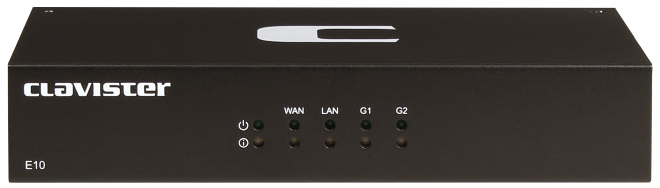
The NetWall E10 features a set of status lights on the opposite side to the Ethernet ports.
These LEDs indicate the overall system status, as well as the status of the Ethernet interfaces.
The two status LEDs on the left side indicate overall E10 status:
The three rows of twin LEDs marked WAN, LAN, G1 and G2 mirror the status lights located on the sides of the RJ45 interface ports and indicate the following states:
Upper LED:
Lower LED: